Art Blocks
This section will go over the art macro and some video types.
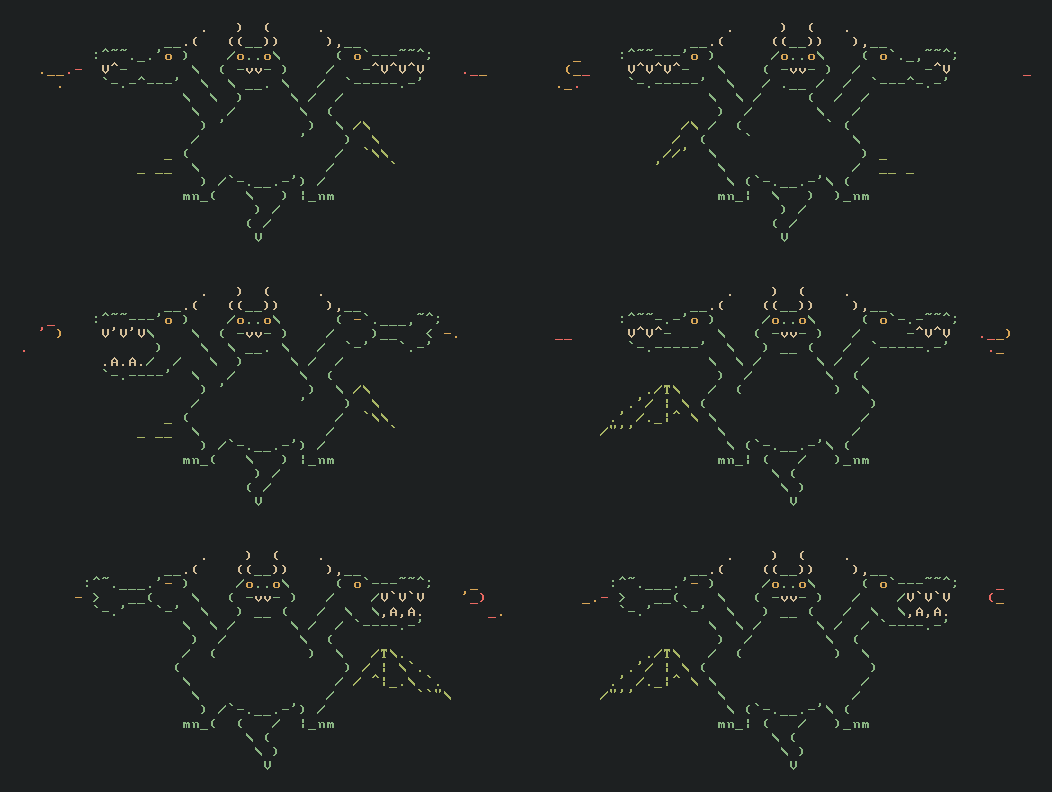
Every  part  of  the  dragon  is  assigned  its own variable, which are stitched
together to form the final animation. Here's the source  code  of  the  dragon's
head. You can click the above dragon to view the entire source file.


    include video

    define main of_type video as center_head

    define center_head of_type video as loop art xii ix
       )  (     ...7..7.....    )  (    ....7..7....     )  (   .....7..7...
      ((__))    ..776677....   ((__))   ...776677...    ((__))  ....776677..
      /o..o\    ..636636....   /o..o\   ...636636...    /o..o\  ....636636..
     ( -vv- )   .6|6776|6...  ( -vv- )  ..6|6776|6..   ( -vv- ) ...6|6776|6.
      \ __. \   ..6|666|6...   ) __ (   ...6|66|6...   / .__ /  ...6|666|6..
       )     \  ...6|||||6..  /      \  ..6||||||6..  /     (   ..6|||||6...
      /       \ ..6|||||||6. /        \ .6||||||||6. /       \  .6|||||||6..
     '         ).6|||||||||6(          )6||||||||||6(         ` 6|||||||||6.
              ' ..||||||||6.            .||||||||||. `          .6||||||||..


This  created  the  video  with the art macro, made it loop nicely with the loop
function, and assigned it to center_head.  The  include  statement  at  the  top
included code for the video type and relevent functions.

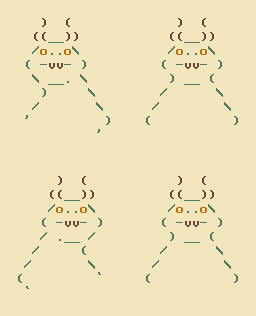
The  animation  contains  3 frames and is 12x9 characters in size. The width and
height come directly after the art keyword (using roman numerals).  Every  frame
in  the art macro is (2*width) by height in size, where the left half is the art
and the right are the corresponding colors. for the colors,  0-7  correspond  to
ANSI  colors  black-white.  | and . distinguish between spaces and transparency.
Here's the table with all special characters and their effects.


    left   right   effect

    CHAR   0       Grey
    CHAR   1       Red
    CHAR   2       Green
    CHAR   3       Yellow
    CHAR   4       Blue
    CHAR   5       Magenta
    CHAR   6       Cyan
    CHAR   7       White
    CHAR   VAR     Uses VAR as the color
           |       Space character
           .       Transparent
    VAR    $       uses VAR as the character
    VAR    #       layers the frame VAR on top of that frame
    VAR    ^       applies function VAR to the character underneath
    X      | or .  overwrite the x axys
    Y      | or .  overwrite the y axys
    Z      | or .  overwrite the origin

    where
        CHAR is a literal ASCII character
        VAR is a Single-letter local/global variable


The art macro isn't doing anything special. It expands into regular  thorn  code
during   the  tokenization  phase.  This  lets  us  do  cool  stuff  like  using
single-letter local/global variables directly in the art macro, as seen with VAR
in the table.

With the explanation out of the way, let's see what  happens  when  we  evaluate
main.


    ~/code$ thorn
    prepend frame empty_column cons_column horizontal empty_row cons_row
    empty_grid_cell cons_row empty_grid_cell cons_row full_grid_cell space
    cons_row full_grid_cell space cons_row full_grid_cell space cons_row
    full_grid_cell space cons_row ... and so on


When  we  enaluate  main,  we  just  get  a  value of type video, a tree of data
constructors, a string of words when printed out. If you take  this  output  and
copy-paste it into main, It'll evaluate to the same thing.

To  get  an  actual  animation  out of it, We must interprit it with an external
program. thorn-to-sh and thorn-to-gif exist to do just that. They  take  thorn's
output  through stdin and generate the corresponding files. Here's how you would
make and play a shell script animation.


    $ thorn | thorn-to-sh | sh
The video type is defined in video.th, colors in colors.th, characters in char.th, etc. Just read the source code. A function's name and type should be enough to figure out what it does.